
XPass Q2

Intelligent QR RFID Reader

XPass Q2 is designed for fast-moving, high-traffic environments such as visitor management and ticketing access. With a QR/barcode-first approach and support for multiple credential types, it ensures smooth and efficient flow of people. Its compact, durable design simplifies installation across busy entry points. XPass Q2 provides a reliable, low-maintenance access solution for facilities that demand speed, flexibility, and ease of operation.

Can it SCAN? Then it CAN.

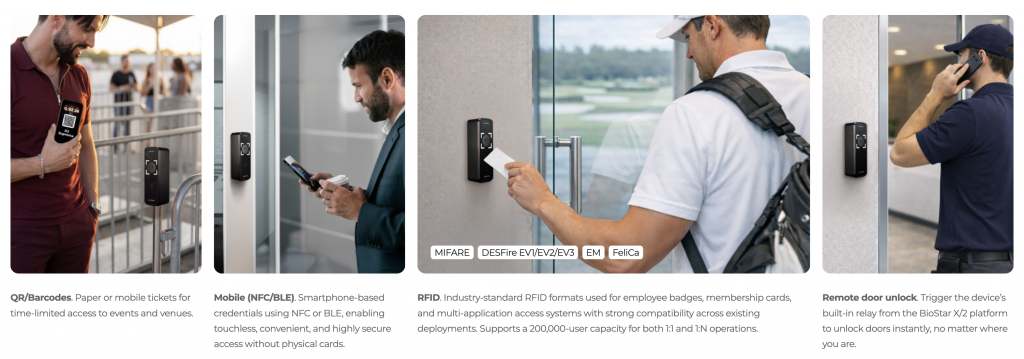
XPass Q2 is designed to read a wide range of credentials, including QR codes and barcodes on cards, mobile devices, wristbands, and more—adapting even to unconventional use cases.

2D codes on phones or printed passes, widely used for tickets, visitor passes, and other app-less, temporary access credentials.
Supports QR codes of up to 32 ASCII characters, as well as Micro QR and Aztec formats.

Multi-credential support
Features

Designed for speed, built for reliability.


Reads everything you bring.
XPass Q2 gives high-traffic facilities a single device for fast, flexible access. It supports a wide range of QR and barcodes via a dedicated imaging module, alongside industry-standard RFID and mobile credentials—all in one streamlined reader.

Sharp design that endures.
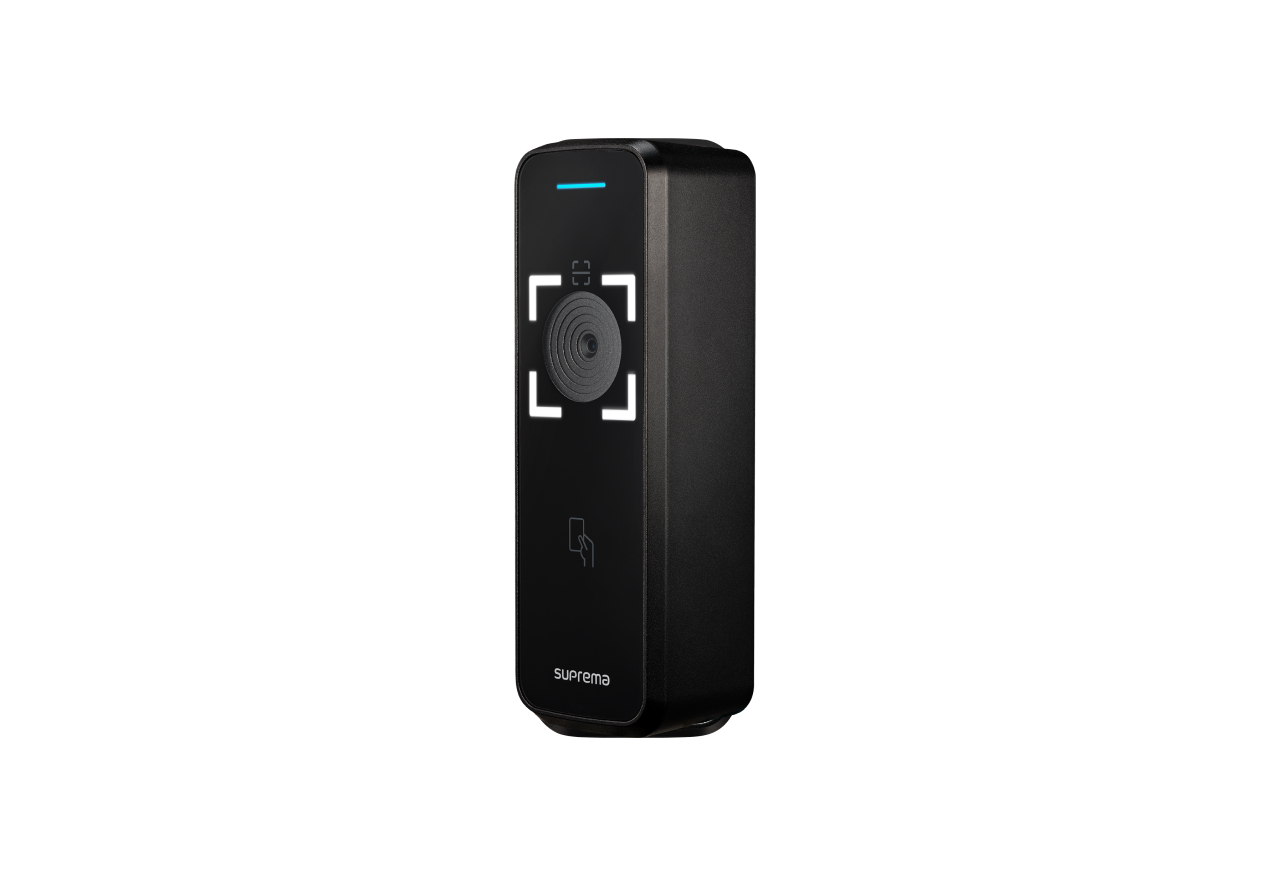
XPass Q2 combines an elegant, low-profile form with rugged construction. Its dark acrylic front and subtle lighting blend into modern architecture, while the IP65 enclosure is engineered for outdoor entrances, gyms, coworking hubs, and other hightraffic sites that demand both style and durability.

Brains, brawn, and speed to match.
XPass Q2 combines fast processing with reliable performance. It delivers quick, accurate scans even in challenging lighting, while secure boot and tamper detection keep credentials protected. Built for uptime, it keeps entry lines moving and your facility secure.

Integrates seamlessly with existing systems.
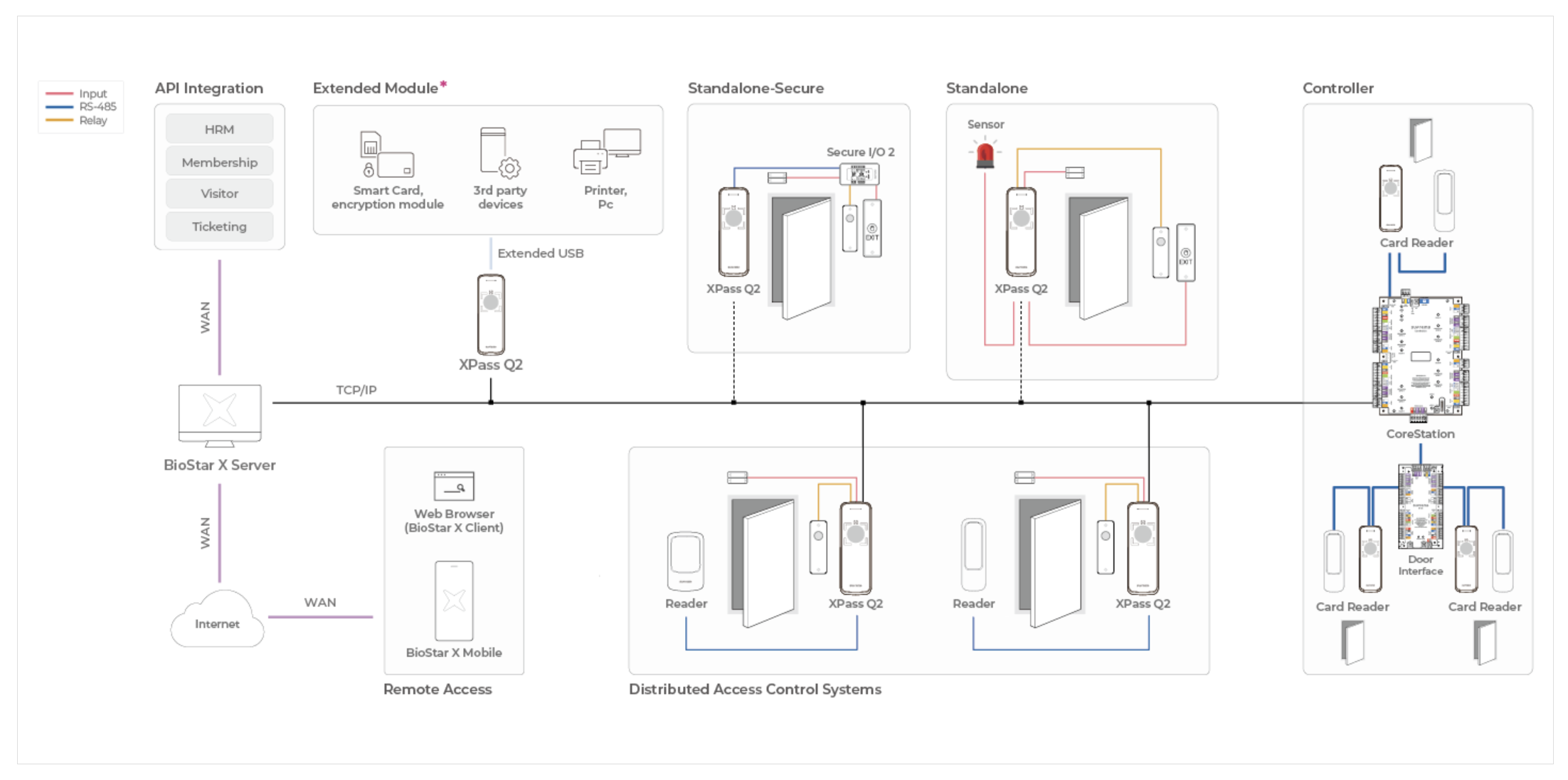
A compact, high-performance IP reader, XPass Q2 adapts to any access control architecture. Use it as a smart edge device, pair it with a door controller, or connect it directly to a PC. Flexible configurations that simplify installation and expand integration options.

Configuration

Integrates seamlessly with existing systems.

A compact, high-performance IP reader, XPass Q2 adapts to any access control architecture. Use it as a smart edge device, pair it with a door controller, or connect it directly to a PC. Flexible configurations that simplify installation and expand integration options.

Use of the Extended Module requires a dedicated XPass Q2 firmware build; it is not supported by the standard device firmware.

Specifications

Type / Model Model XPQ2-DB
Credential RF Option 125kHz EM & 13.56MHz MIFARE, MIFARE Plus, DESFire, DESFire EV1/EV2/EV3, FeliCa
RF Read Range EM/MIFARE/DESFire: 50 mm
FeliCa: 30 mm
Mobile NFC, BLE
QR / Barcode DataMatrix, QR Code, Aztec, Micro QR Code, PDF417, Code39, Code128, UPC-A, UPC-E, EAN-8, EAN-13
Capacity Max. Users 200,000
Max. Credentials (1:N / 1:1) Card: 200,000
Max. Text Logs 1,000,000
Hardware CPU 1.0 GHz
Memory 8 GB Flash + 256 MB RAM
Camera 1 Camera (QR only)
IP Rating IP65
Weight 213 g
Dimension (WxHxD) 50 x 150 x 40.2 mm
Interface Ethernet 10/100 Mbps, auto MDI/MDI-X
RS-485 1ch Master / Slave (Selectable)
Protocol OSDP V2 compliant
Wiegand 1ch Input / 1ch Output (Selectable)
Input 3ch Input
Relay 1 Relay
Power 12 Vdc DC OUT not used: Max 0.5 A
DC OUT used: Max 2.6 A
24 Vdc DC OUT not used: Max 0.3 A
DC OUT used: Max 1.4 A
Power Output 12 Vdc: Reader Max 0.5 A / Lock Max 1.2 A
24 Vdc: Reader Max 0.25 A / Lock Max 0.6 A
Certifications Compliance CE, UKCA, KC, FCC, IC, RCM, SIG, RoHS, REACH, WEEE, EAC, TELEC


1) DESFire EV2/EV3 cards are backward compatible with DESFire EV1 cards, supporting CSN and smart card features, including those of the DESFire EV1 card.

2) RF read range will vary depending on installation environment.

3) Supports QR codes with up to 32 ASCII characters.

4) Camera QR license is required to use more diverse QR/barcode authentication. For detailed information on device licenses, please refer to the BioStar X Administrator Guide.
5) Based on users registered without credentials.

 
Explore opportunities with our growing team!
JOIN US